Documentation
Authorization error
If you are getting the “Authorization is required to perform that action” error, it is likely because you are logged into multiple Google accounts in the same browser.
This is a common error in the Google Workspace environment.
You need to log off of your secondary account and log back in with your main account for the add-on to work properly.
Subscription management
To upgrade, downgrade or cancel your subscription, or to download invoices, you can do so inside the add-on. Refer to our terms of service regarding cancellations.
-
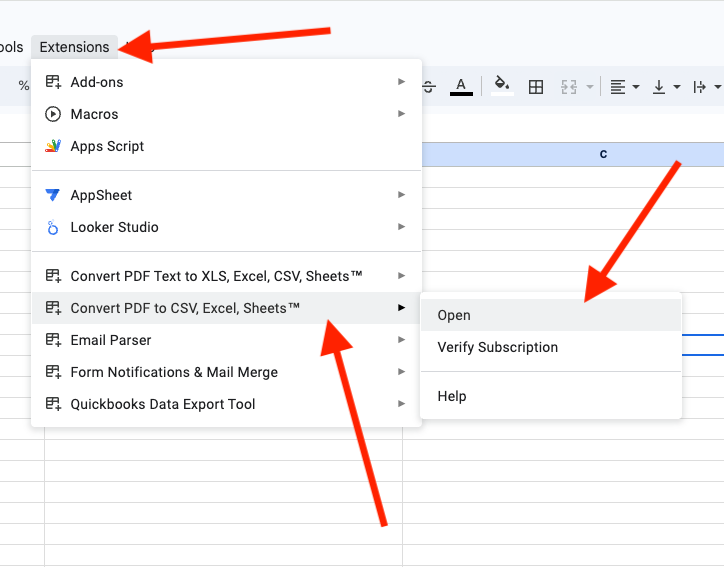
Open the add-on inside Google Sheets. If you uninstalled the add-on, you must reinstall it to access the menu to manage your subscription.
-
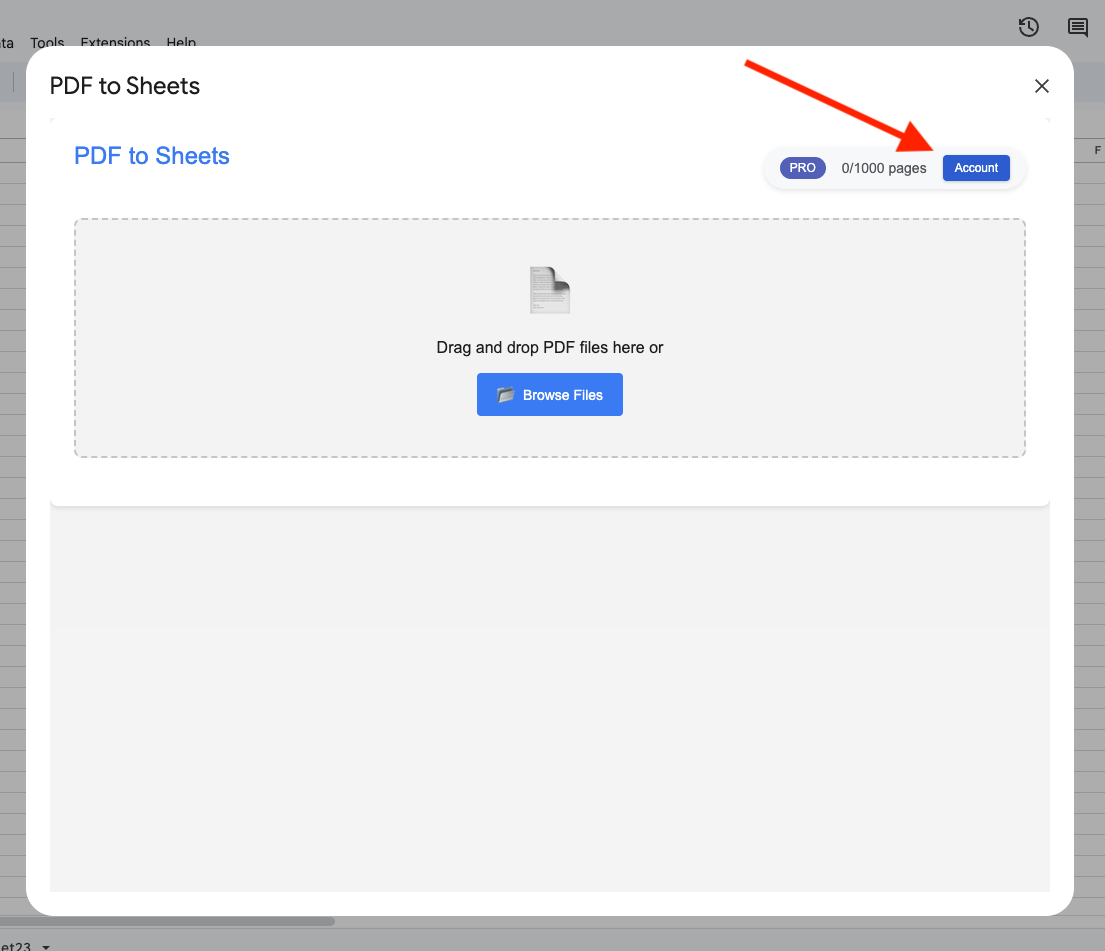
If you have an active subscription, there will be a link labeled “Account”. Click on that link.
-
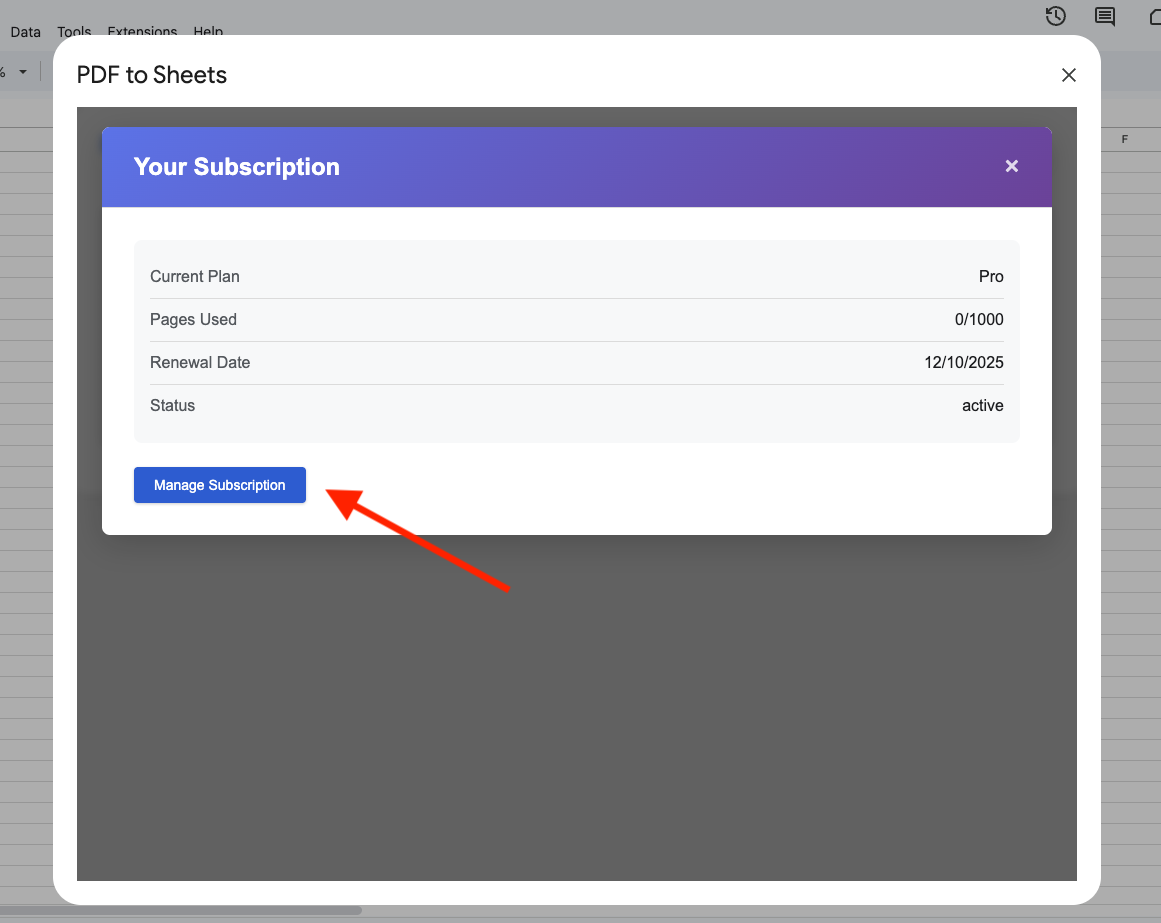
Click on the “Manage Subscription” link to download invoices, update, or cancel your subscription.
Other
For more complicated issues, reach out to us.